Mobile Phone System UI
About Project
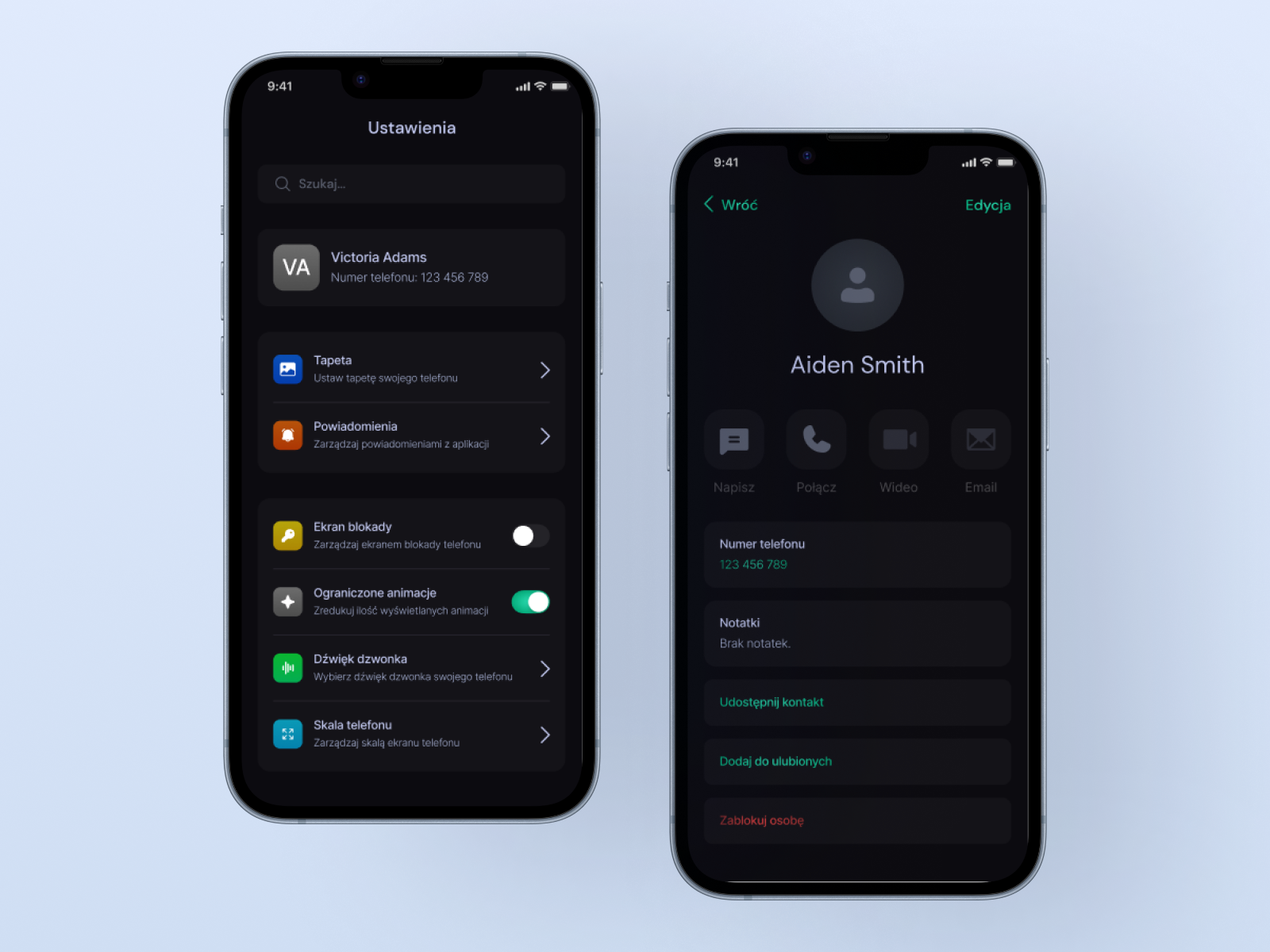
This project introduces a fully featured mobile operating system simulation designed for seamless in-game communication. The interface adopts a modern, high-contrast 'Dark Mode’ aesthetic to reduce eye strain during extended gameplay sessions.
The core architecture centers around user identity, featuring a customizable profile hub where players can manage personal details, avatar imagery, and essential privacy settings (e.g., Lock Screen toggles). Additionally, the system prioritizes performance and accessibility, visible through optimization options like the 'Reduced Animations’ switch.
Phone Settings
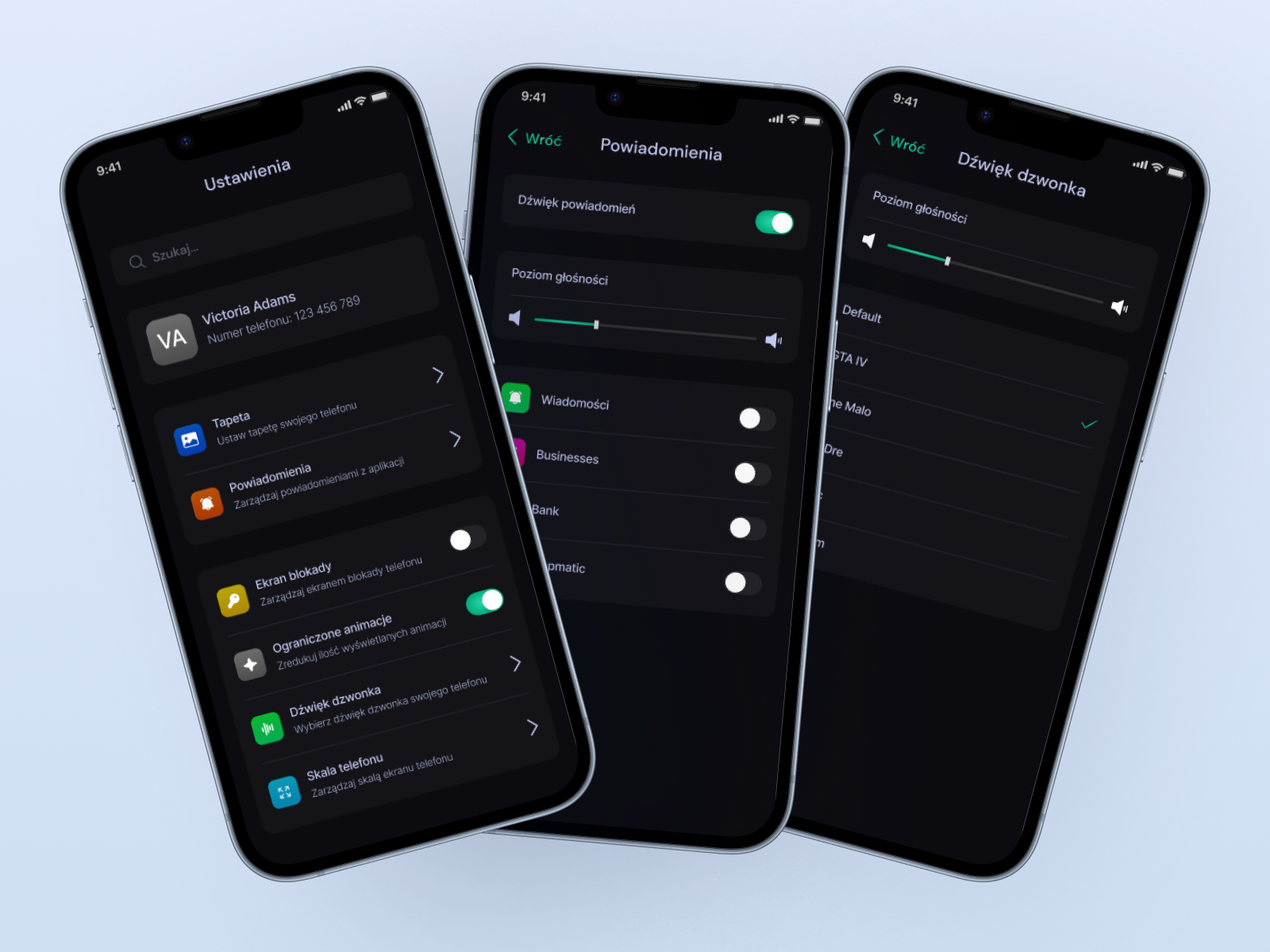
A configuration module allowing users to fine-tune the device’s behavior. This section showcases the audio management UI, featuring precise sliders for master volume and ringtone intensity.
The design implements a tiered notification system, giving players the ability to toggle alerts for specific applications independently (e.g., muting 'Business’ updates while keeping 'Messages’ active). The layout utilizes standard list controls and toggle switches, ensuring immediate feedback for every preference change.
Contacts & Calls
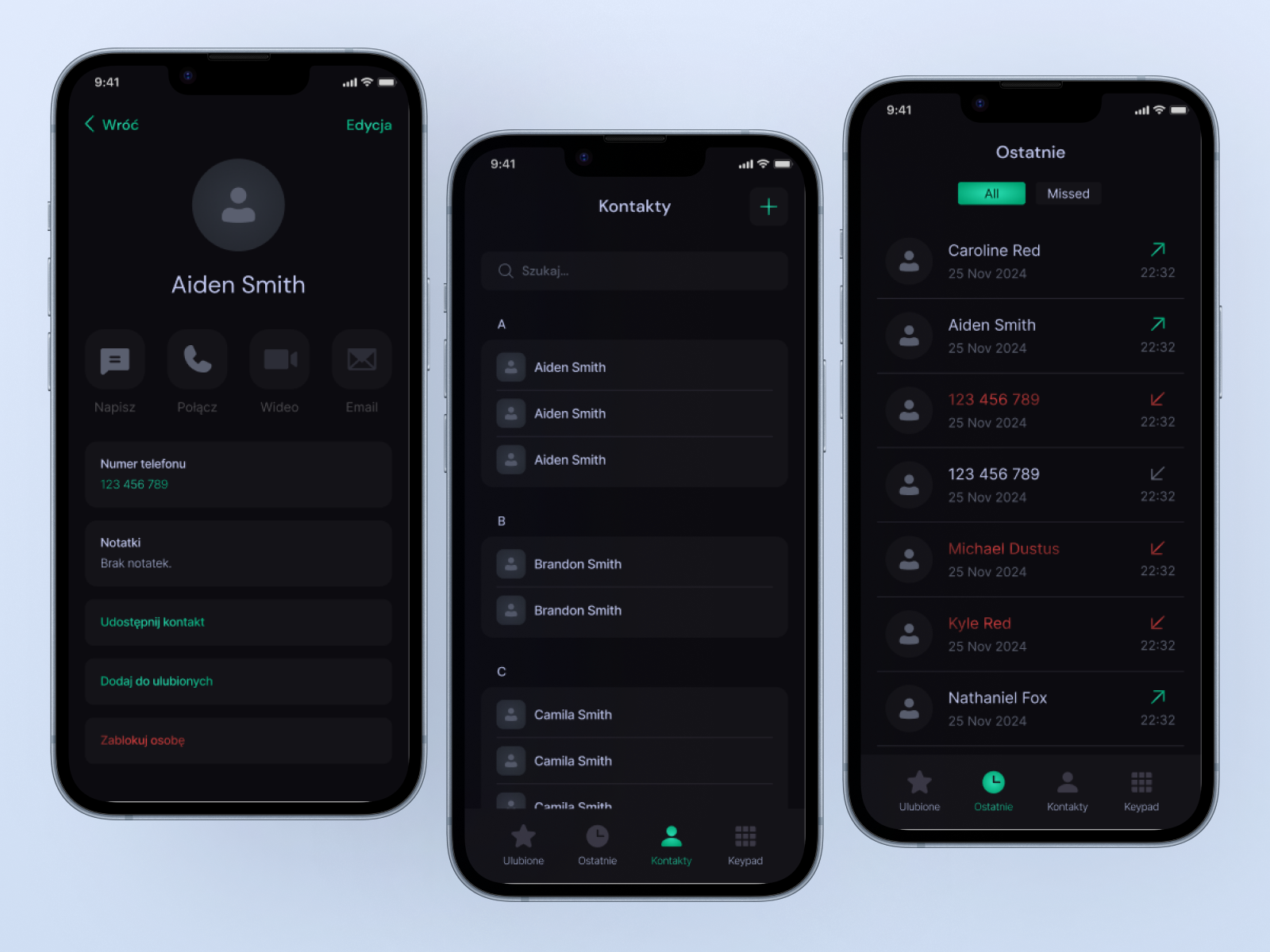
The central hub for social connection management. This interface divides contact logic into three distinct views: a detailed contact editor, an alphabetically indexed address book, and a comprehensive call log.
The 'Recents’ tab utilizes semantic iconography and color coding green arrows for successful connections and red for missed calls – to provide at a glance history tracking. The navigation relies on a bottom anchored tab bar, allowing for rapid switching between the Keypad, Contacts list, Recents and Favorites.
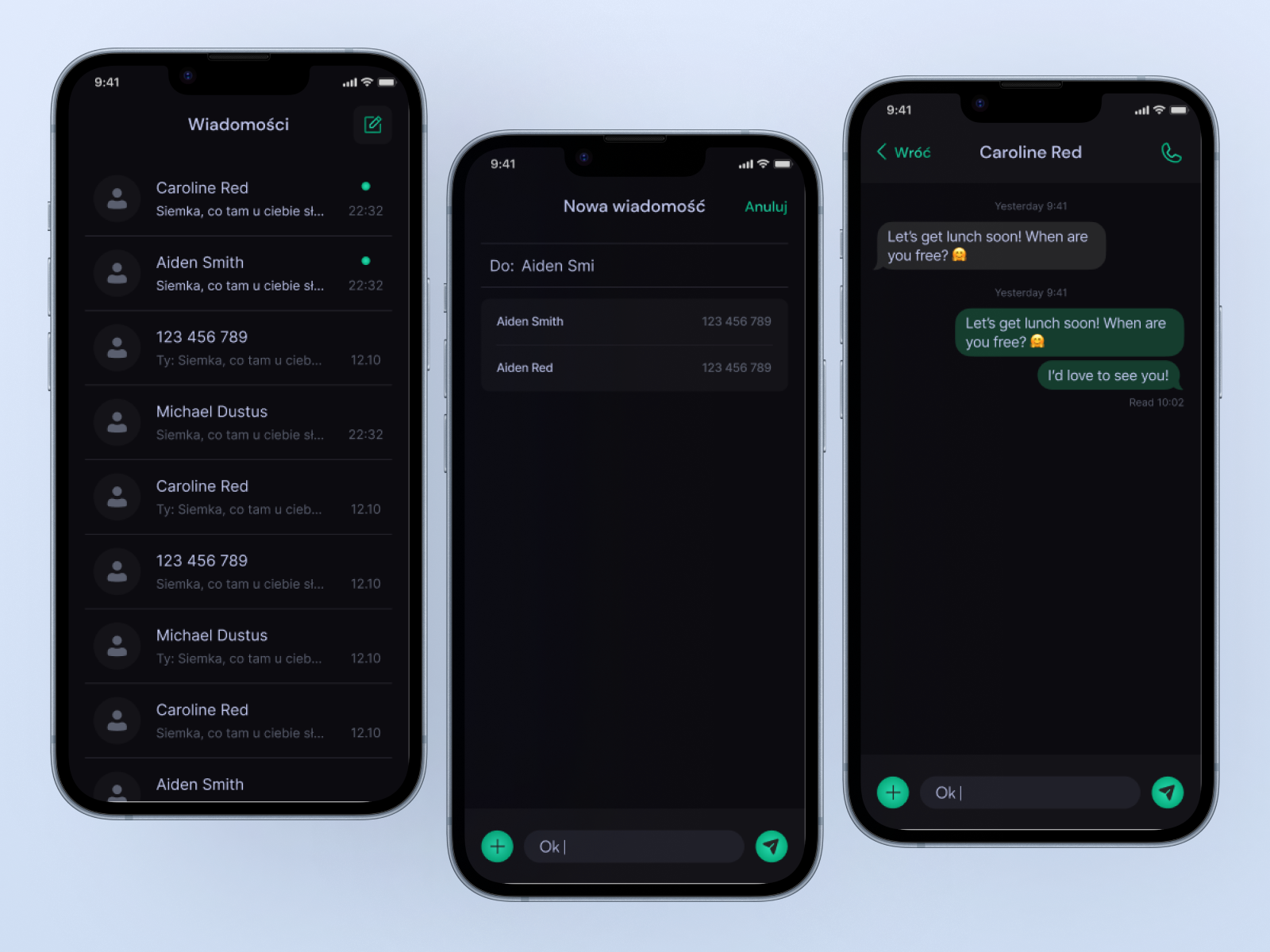
Sending & Receiving Messages
An asynchronous communication suite designed for real-time text exchange. The main view presents a chronological thread list, enhanced by presence indicators (green dots) that signal unreaded messages.
The conversation interface adopts a familiar 'bubble’ layout, distinguishing incoming and outgoing messages through contrast and alignment. The input bar is equipped with quick-action triggers for attachments and sending, ensuring a fluid and intuitive messaging experience consistent with modern real world apps.
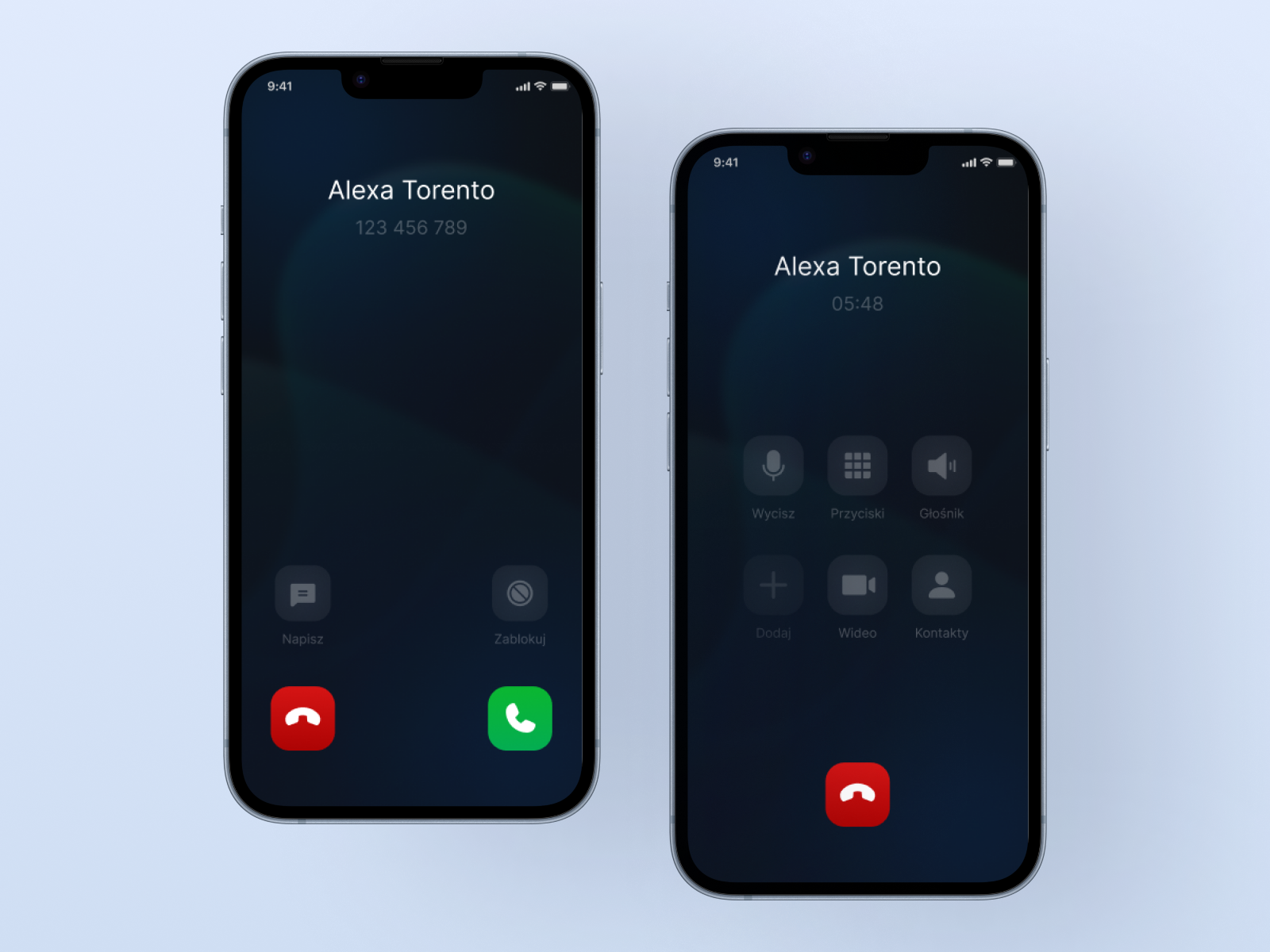
Making & Receiving Calls
The synchronous telephony interface, split into two critical states: 'Incoming’ and 'Active’. The incoming call screen prioritizes clarity with large, distinct action buttons (Decline/Answer) to prevent misclicks during high pressure scenarios.
Once connected, the UI transitions to a functional grid layout, providing essential utilities such as Mute, Speakerphone, and Keypad access.