
Banking Mobile App
About Project
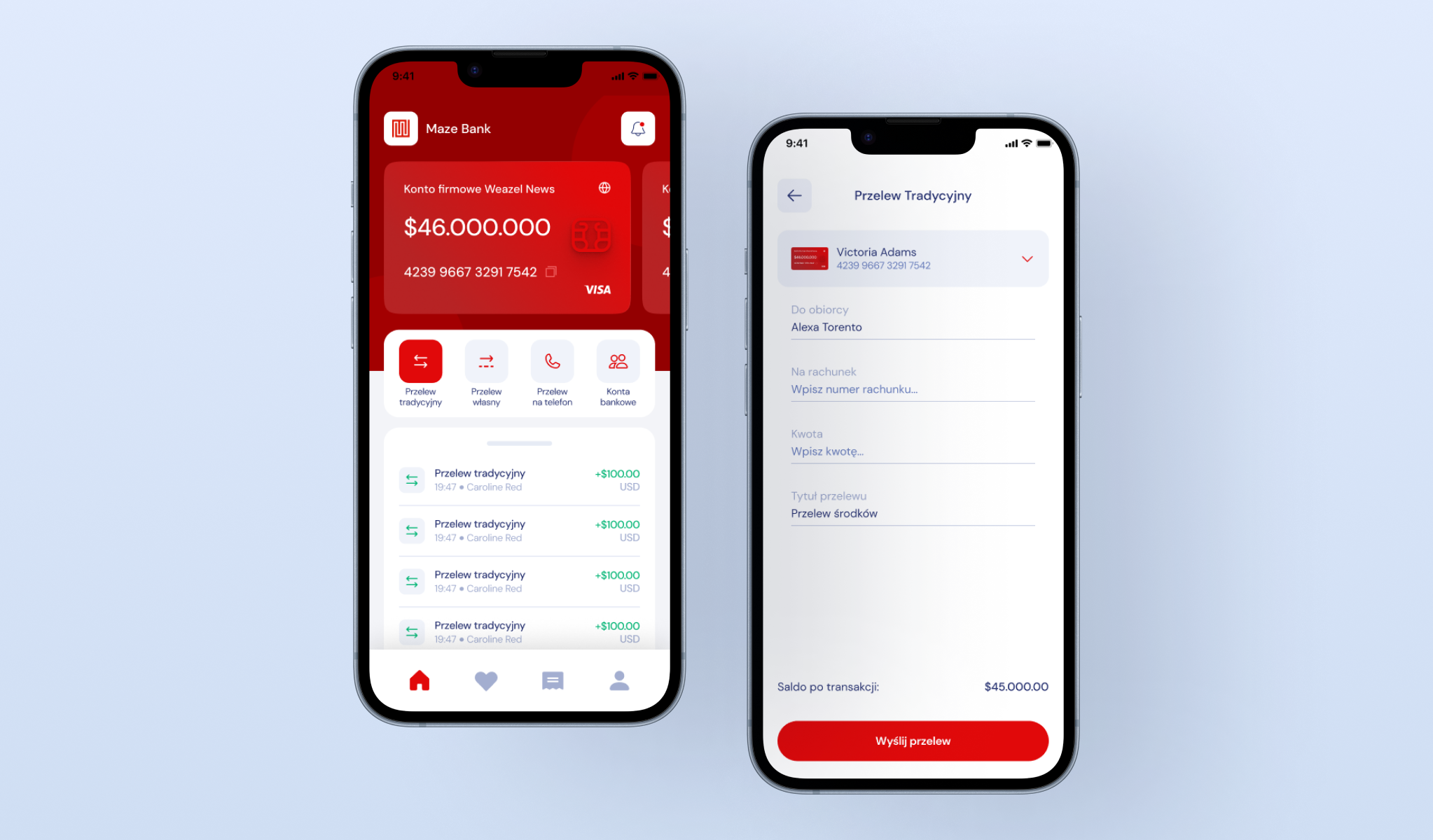
This banking mobile app translates the robust desktop banking experience into a fully responsive mobile environment. The interface adopts a red aesthetic, prioritizing high contrast for readability on smaller screens.
The dashboard features a card-centric layout, offering immediate access to liquidity status, a quick action grid for rapid transfers, and a scrollable transaction feed, all navigated via a persistent bottom utility bar.
Manage Your Accounts
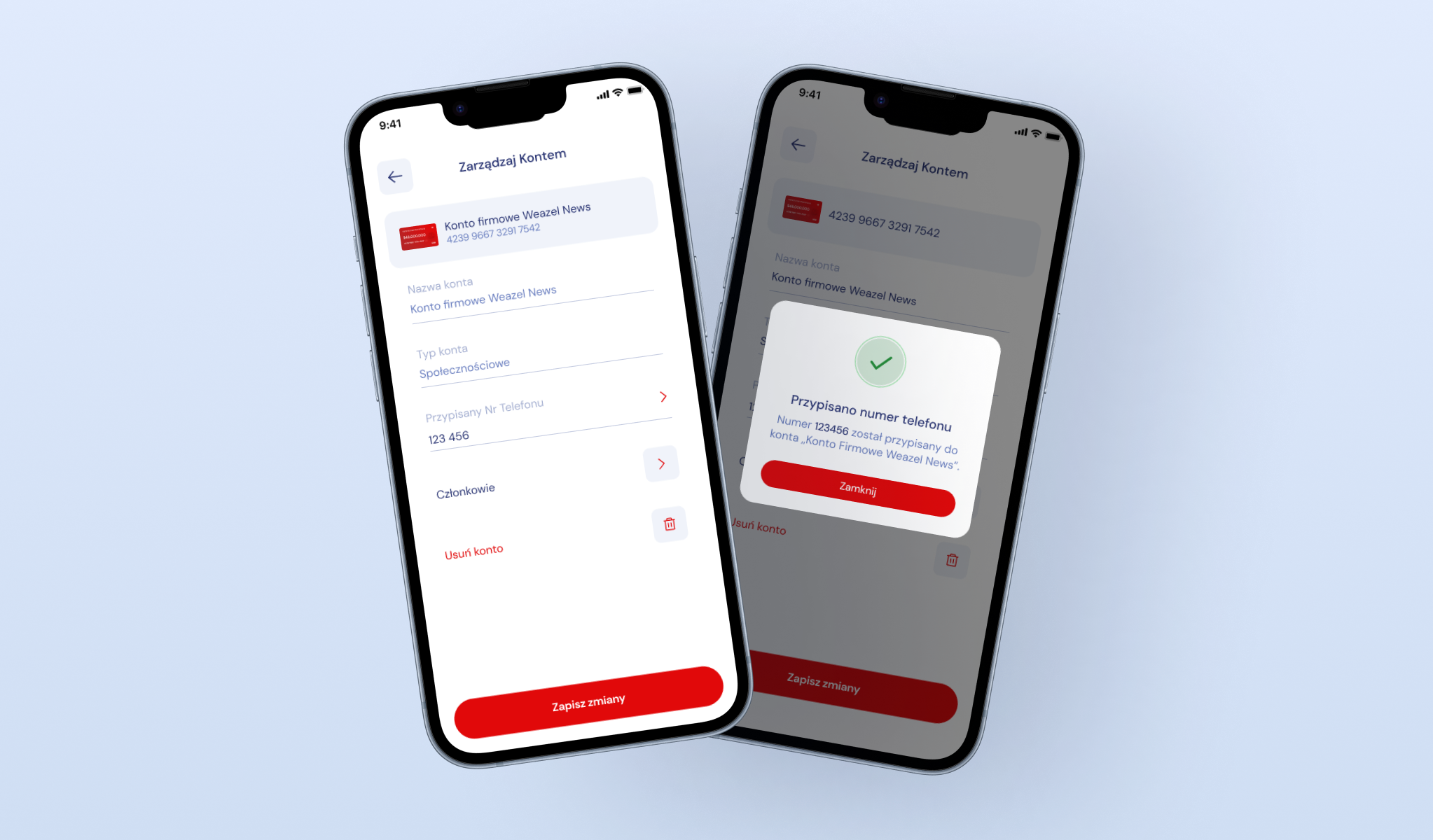
Banking mobile app with dedicated administrative module for personal and corporate account oversight. This screen allows users to edit account metadata and manage access rights efficiently. The interface includes a modal workflow for linking specific mobile numbers to bank accounts (visualized by a success validation pop-up), simplifying peer-to-peer transfers.
Additionally, the 'Members’ section supports organizational roleplay, enabling the owner to view and manage authorized users directly from their handheld device.
Traditional & Personal Transfer
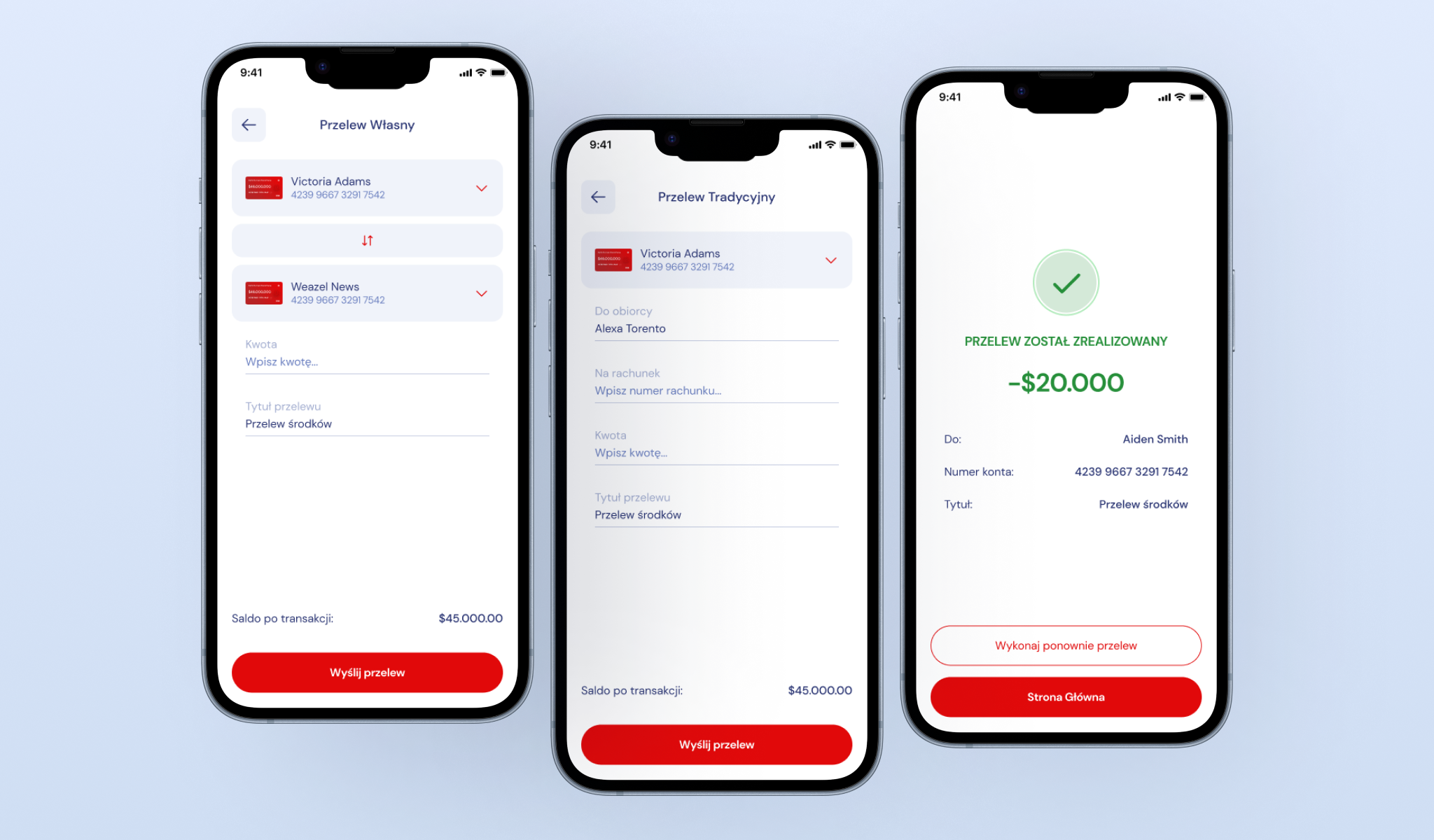
The core transactional engine is split into specific user flows to minimize error. The ’Self Transfer’ tab utilizes a dropdown selector for internal asset movement, while the ’Traditional Transfer’ form requires precise input of beneficiary data.
The experience is capped by a full-screen success validation overlay, featuring a large animated checkmark and a clear summary of the deducted capital (e.g., -$20,000), providing instant visual confirmation that the funds have been processed.
Recurring Payments
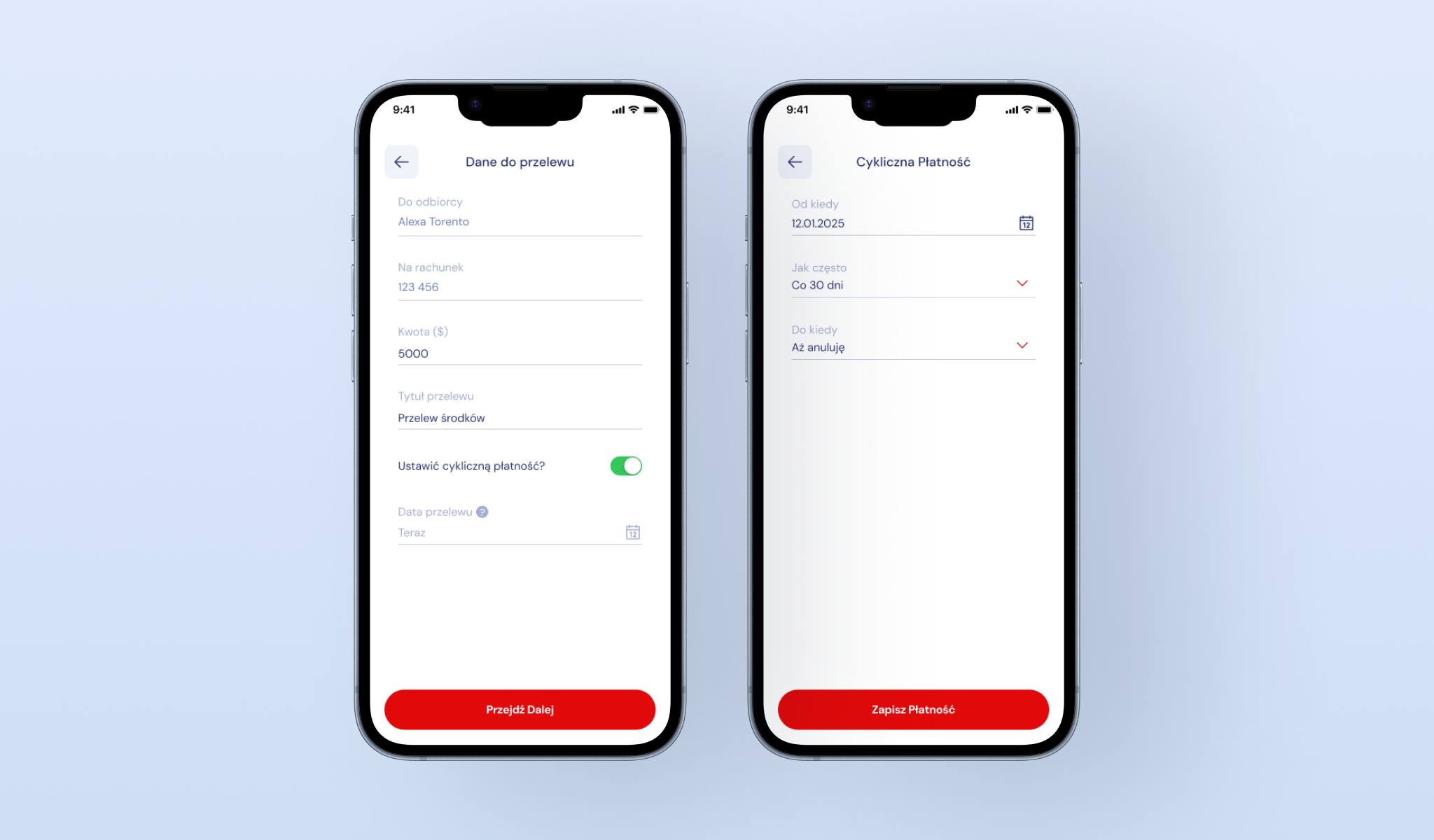
An automation feature designed to streamline long-term financial obligations in banking mobile app. This interface introduces a ’Recurring Payment’ logic, activated via a simple toggle switch. Users can define the transfer frequency (e.g., every 30 days) and end conditions, effectively creating a 'set-and-forget’ system for rent, salaries, or subscription services.
The layout focuses on clear data entry, ensuring users understand exactly when and how much money will be automatically deducted.
Add Trusted Recipients
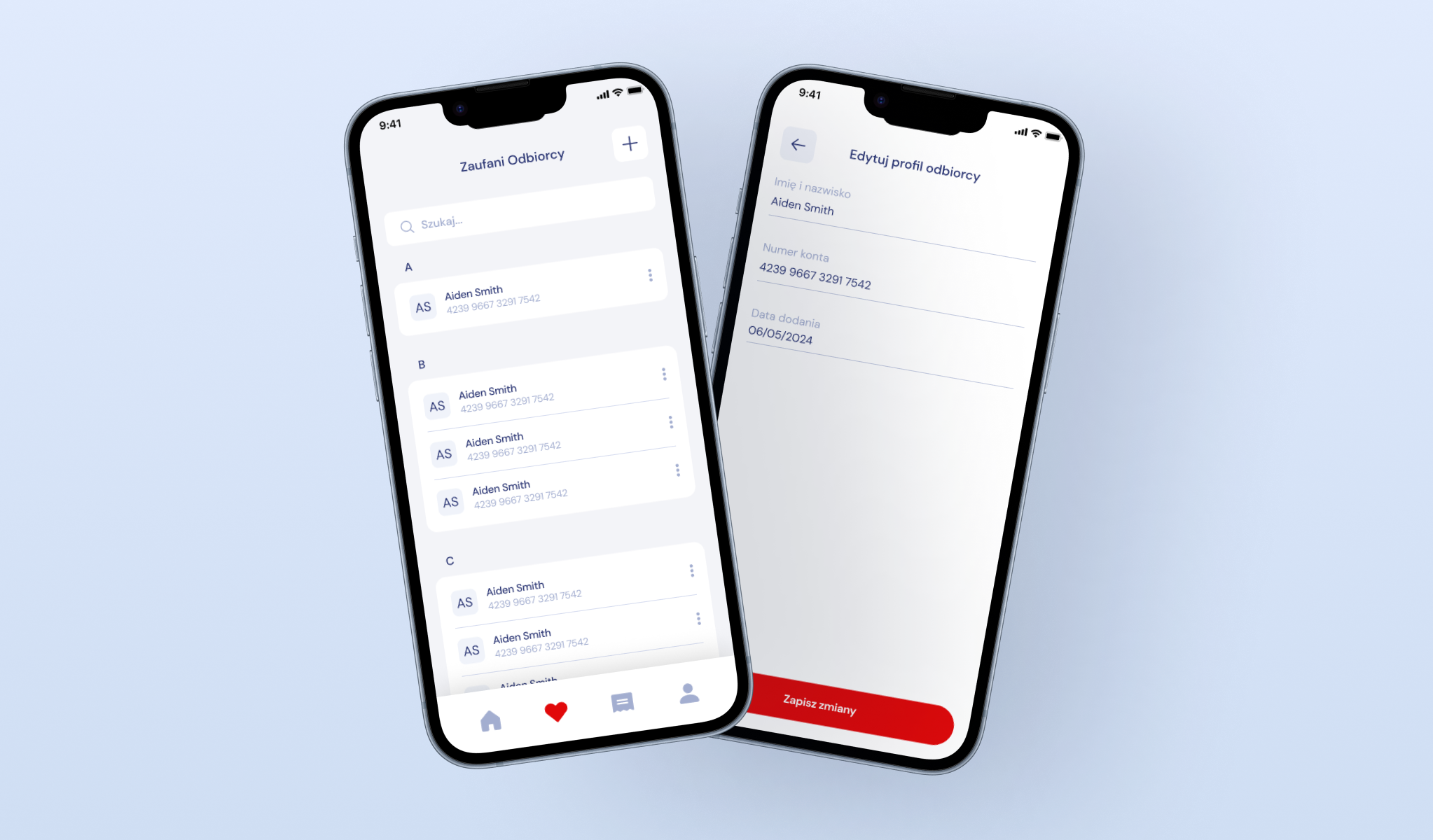
A 'Quality of Life’ module serving as a financial address book. This view of banking mobile app displays a scrollable list of frequently used beneficiaries, complete with avatar placeholders and quick-action context menus.
The 'Edit Profile’ screen allows users to label account numbers with custom aliases, reducing the cognitive load of remembering distinct IBANs for repeated transactions and speeding up the workflow.
Control Your Invoices & Bills
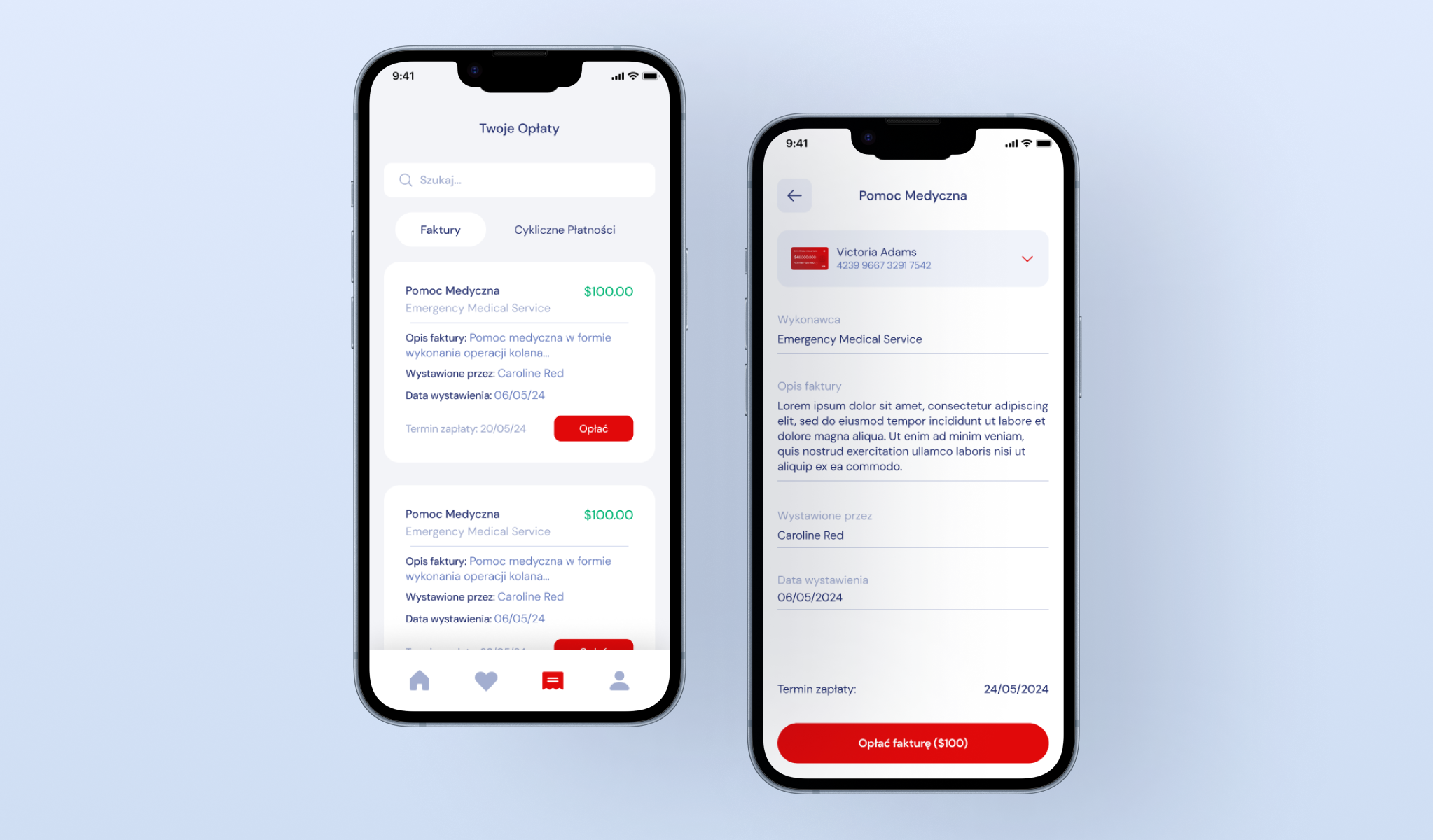
A centralized liability dashboard aggregating all outstanding server debts. The UI lists pending invoices such as medical fees or police fines, with clear status indicators and urgency color coding.
Tapping an item reveals a detailed breakdown view, displaying the issuing authority and specific reason for the charge, accompanied by a prominent ’Pay Invoice’ action bar anchored at the bottom for quick resolution.