
Advanced Banking System
About Project
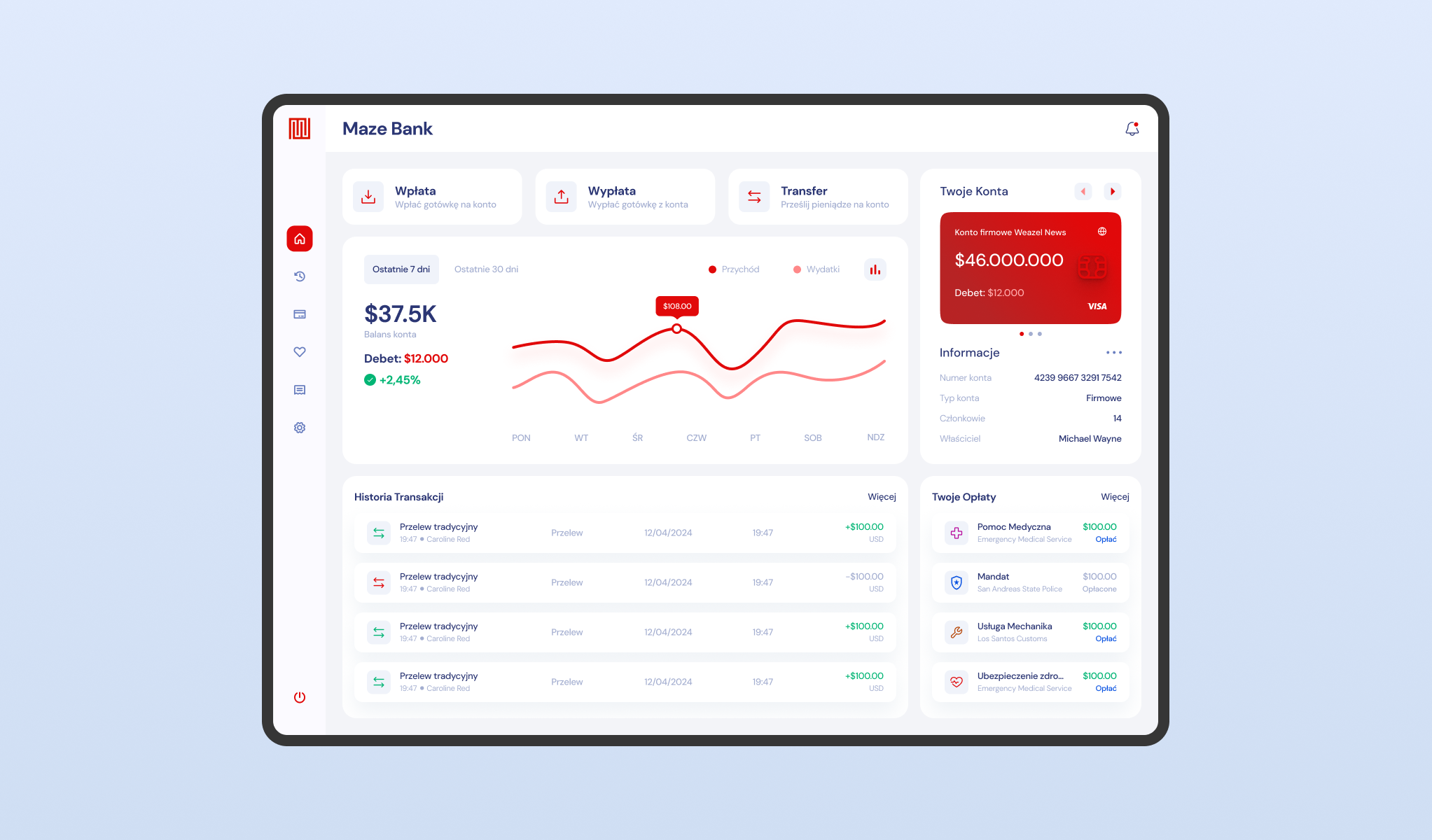
This project represents a paradigm shift from simple mobile transactions to a full scale, desktop grade banking simulation. Banking system is designed as a central financial command center, featuring a high fidelity dashboard that visualizes liquidity trends through interactive line graphs.
The architecture supports complex fiscal operations, allowing users to monitor net worth, track daily income versus expenses, and manage multiple sub-accounts (e.g., Personal vs. Corporate) from a single, unified view.
Deposits & Withdrawals
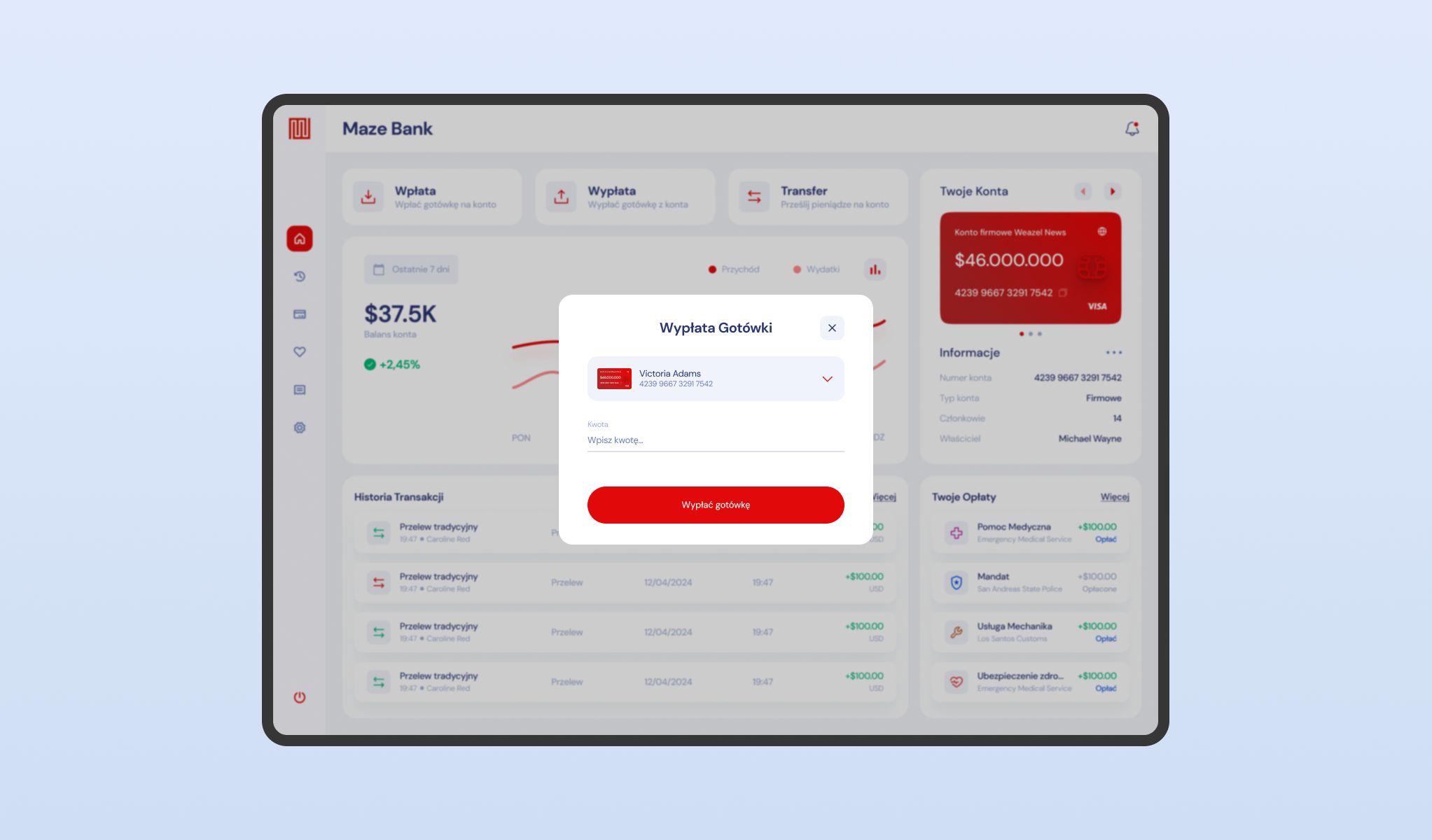
A secure gateway for converting digital assets into physical currency. This module utilizes a focused modal interface to handle liquidity retrieval.
The design of banking system prioritizes user error prevention by clearly displaying the source account and validating the requested amount against the available balance. The clean input fields and prominent call-to-action buttons ensure that cash withdrawals are executed rapidly and without ambiguity.
Traditional & Personal Transfer
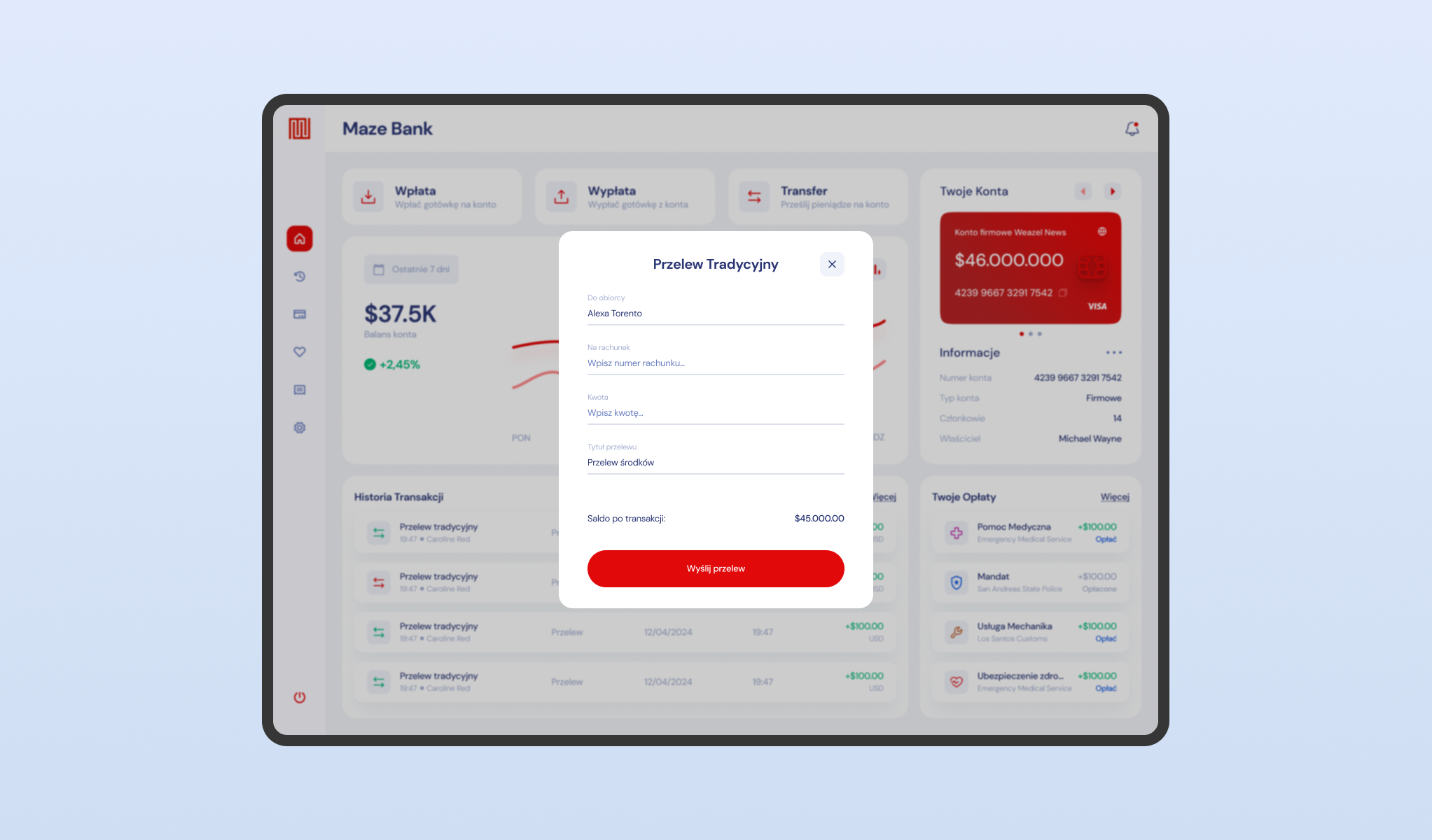
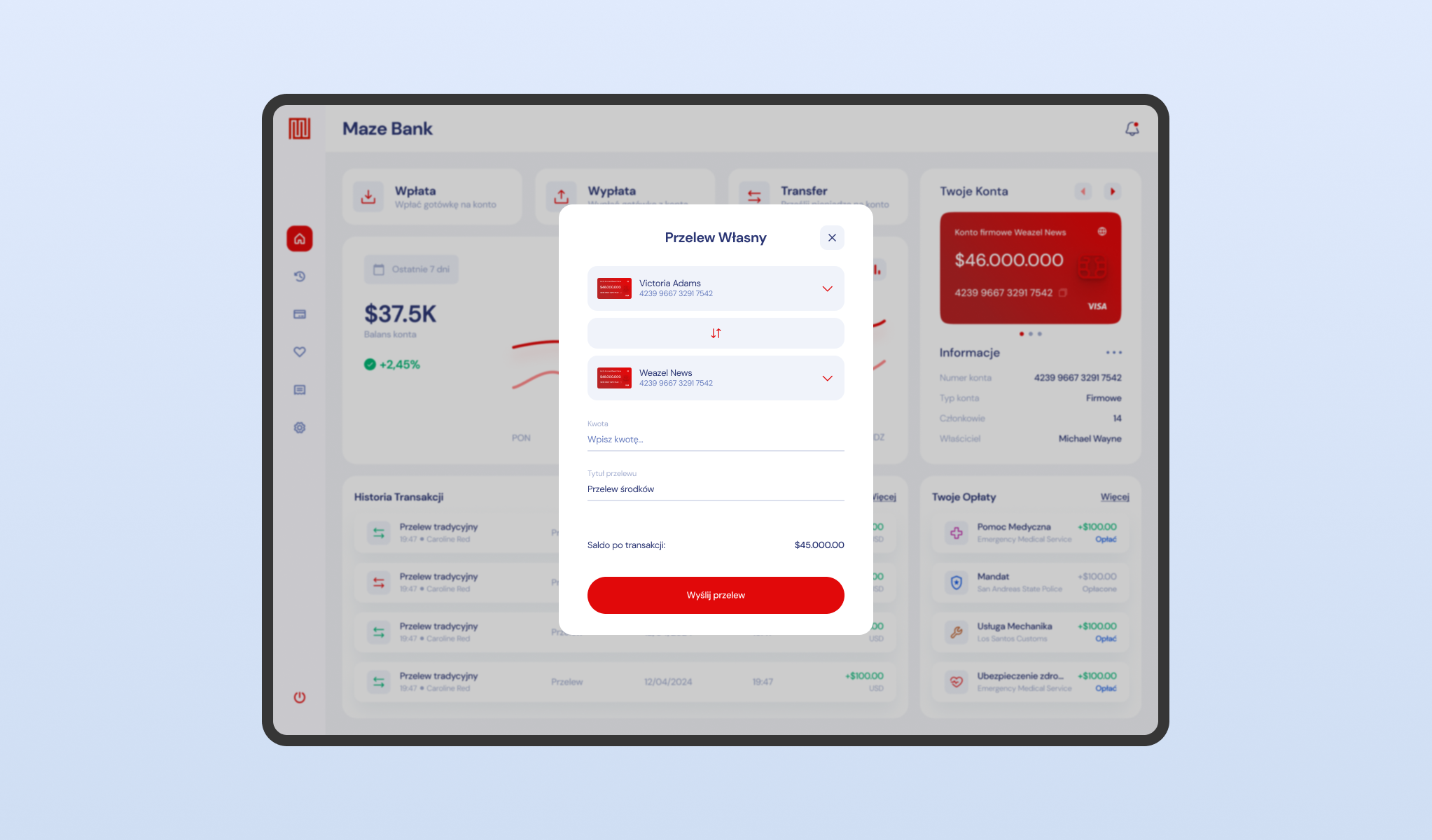
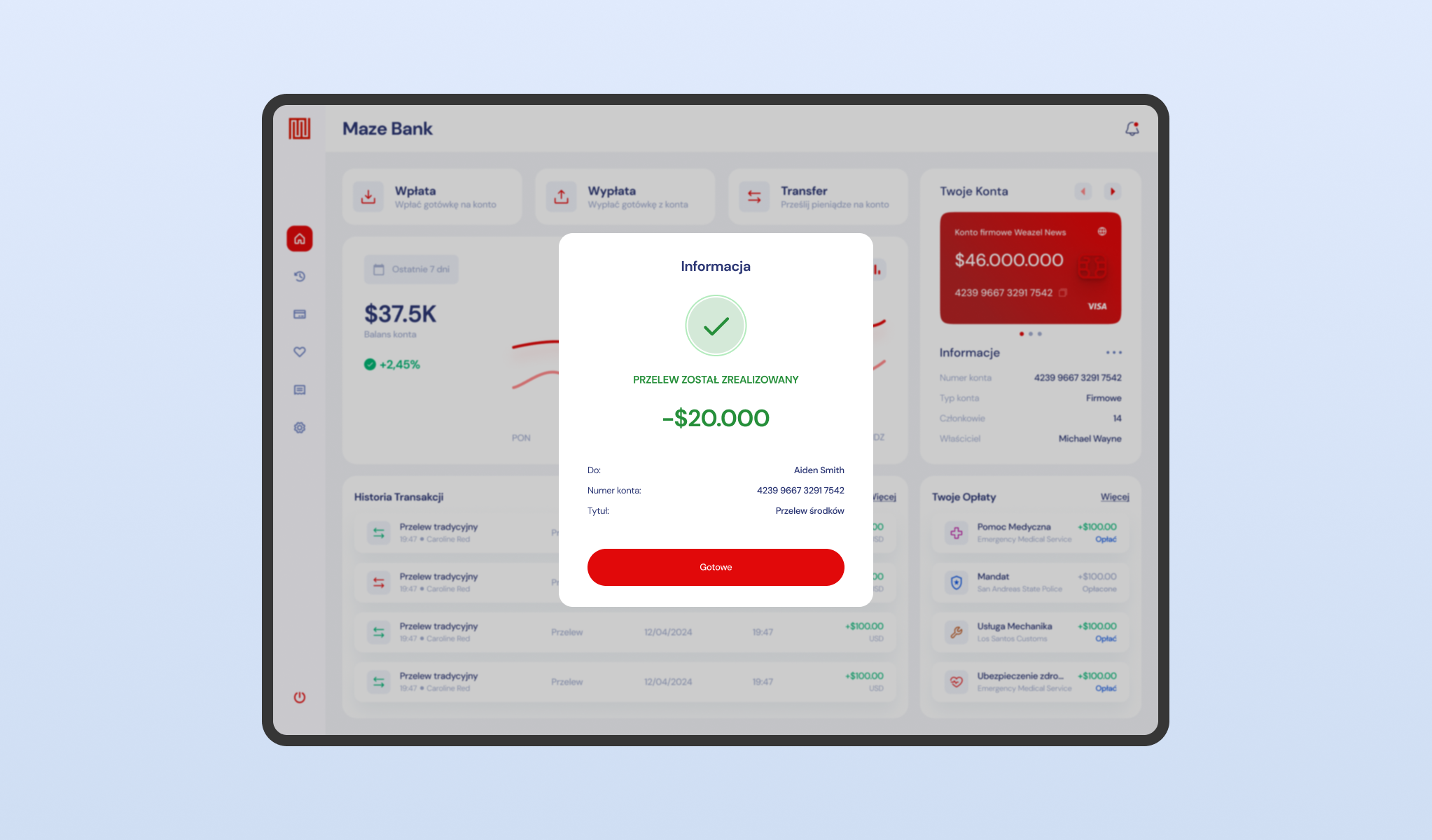
The core transactional engine supports a dual-channel payment architecture. The 'Traditional Transfer’ mode allows for external payments requiring precise beneficiary data (Account Number/IBAN), while the 'Self Transfer’ feature streamlines internal asset reallocation between the user’s own sub-accounts using a simple dropdown selector.
The workflow concludes with a definitive success state overlay, providing a digital receipt that confirms the deducted amount and updated balance in real-time.
Transaction History
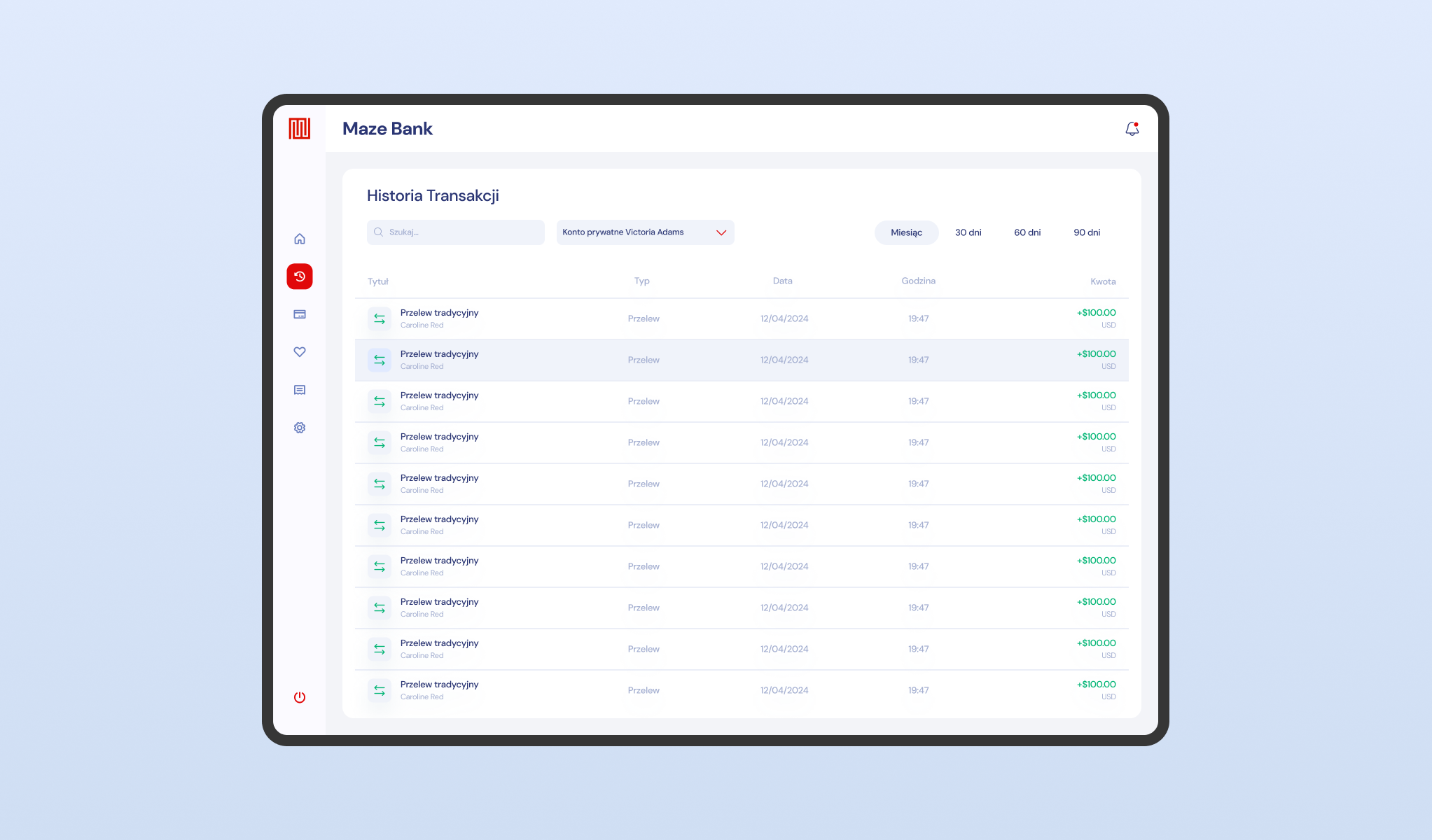
A comprehensive financial ledger designed for detailed auditing. This view lists all fiscal movements chronologically, utilizing semantic color coding – green for income and neutral tones for expenses, to enhance scannability.
The banking system integrates robust filtering parameters, enabling users to isolate transactions by specific timeframes (e.g., 30, 60, or 90 days). This level of granularity ensures players can track every dollar flowing through their personal or corporate portfolios.
Manage Your Accounts
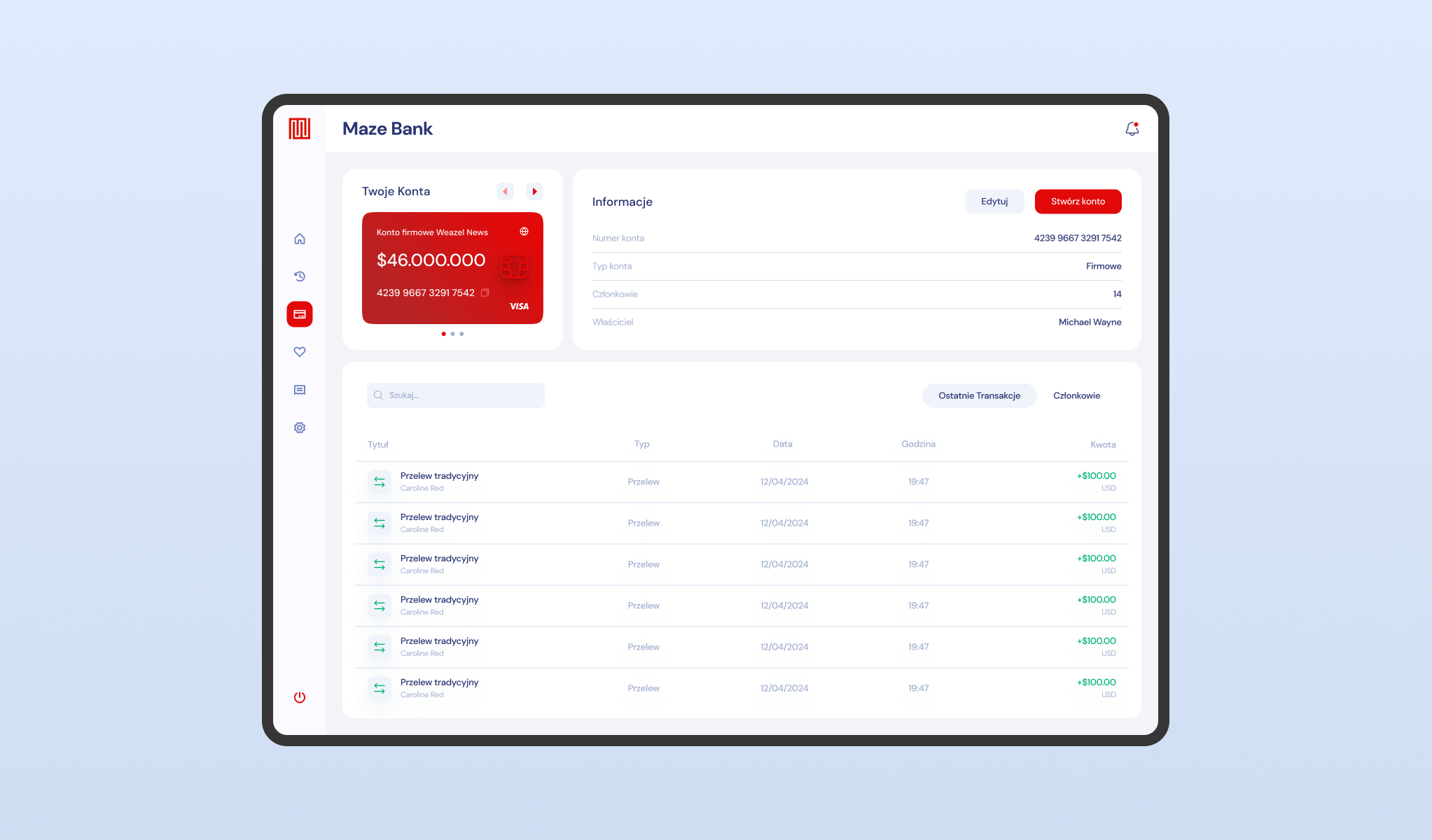
This section of banking system serves as the administrative hub for specific asset holdings. It provides a deep-dive view into account metadata, displaying critical identifiers such as the unique IBAN (Account Number), ownership status, and account type classification (e.g., Corporate/Firmowe).
The layout isolates this data to facilitate easy sharing of payment details while offering quick access to the account’s specific transaction history and member privileges.
Create New Accounts
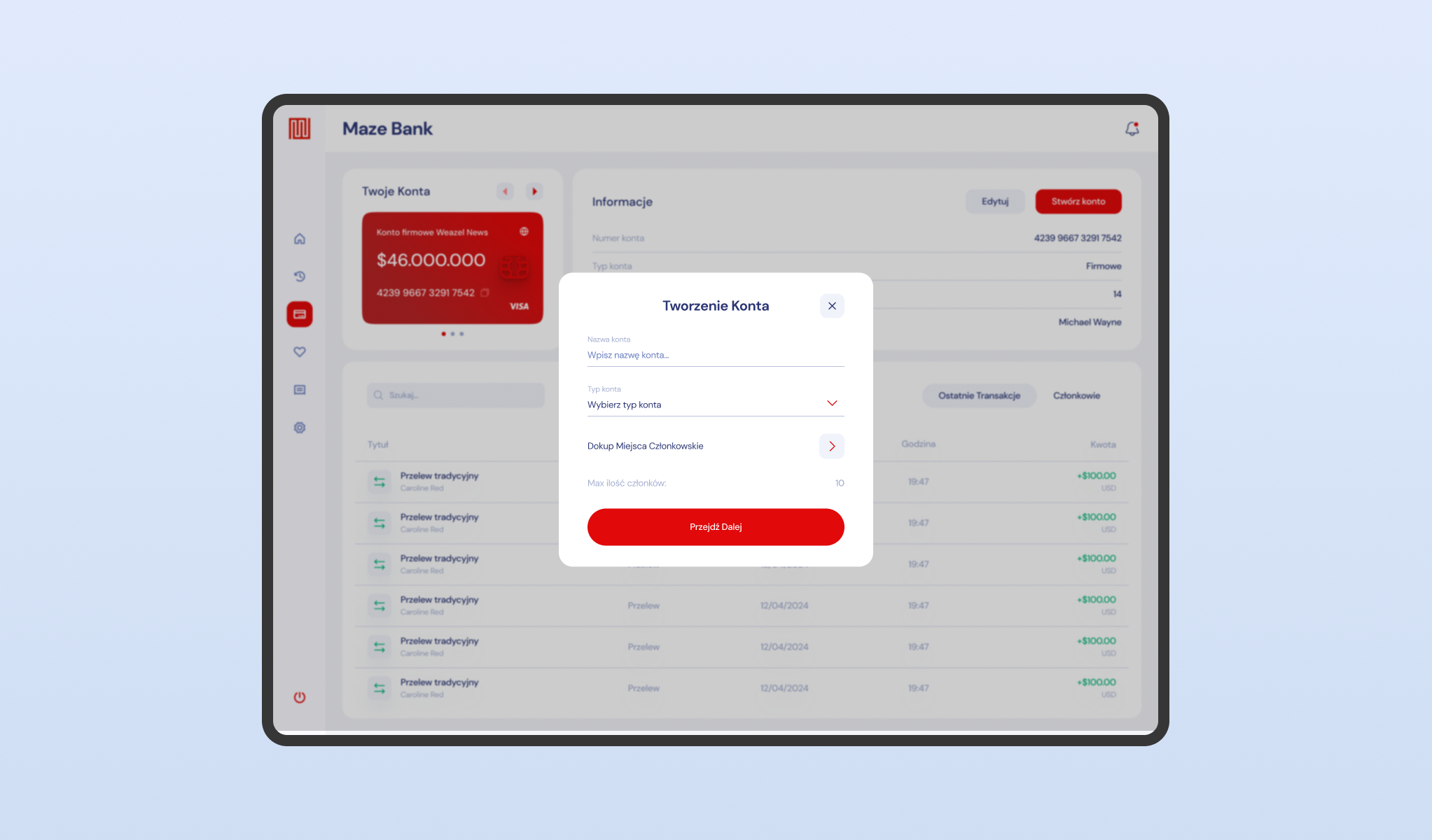
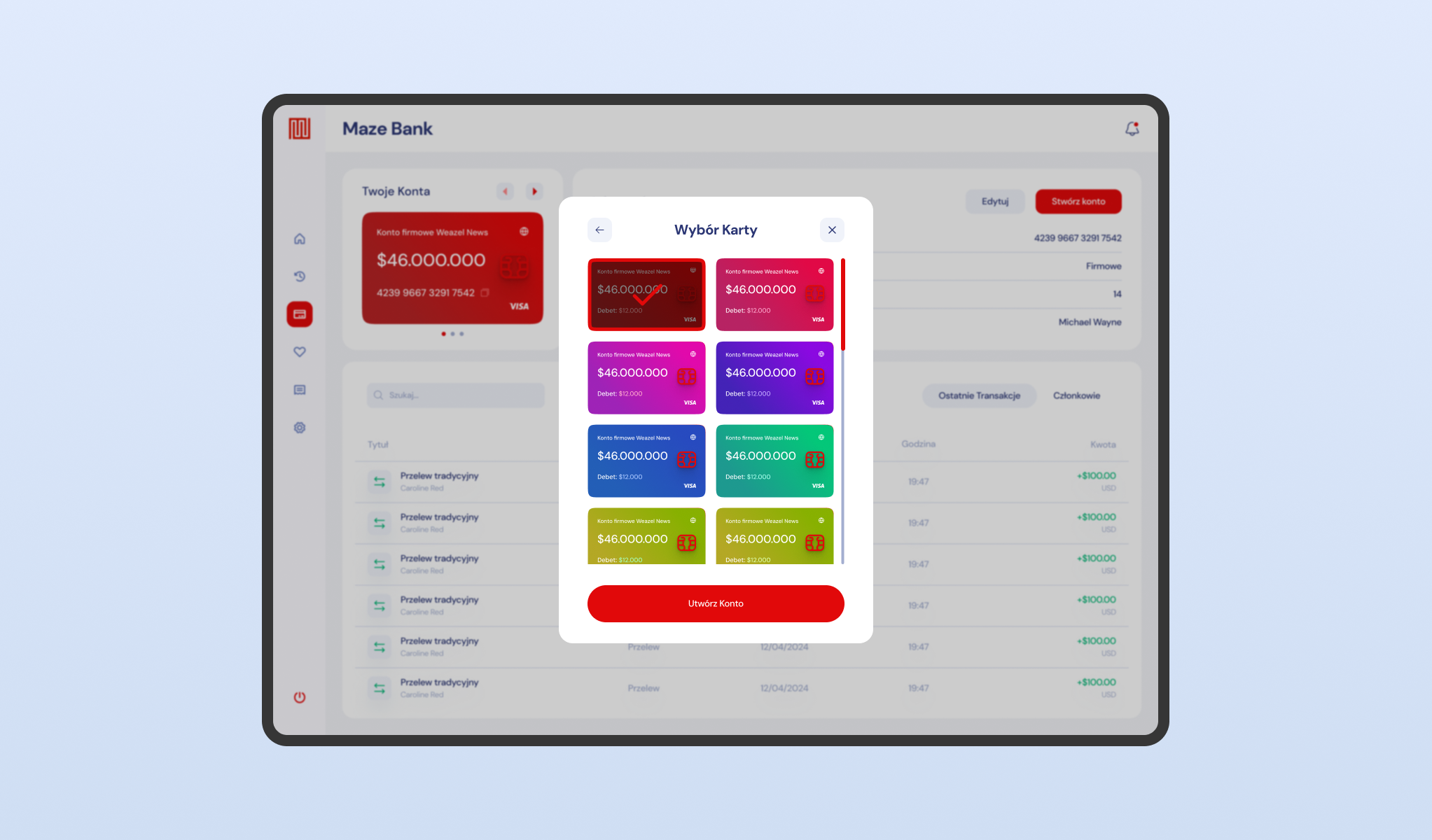
A modular system designed for expanding the user’s financial footprint. This workflow guides players through the creation of new sub-accounts, offering high-level customization options including distinct visual themes for credit cards (’Card Skins’).
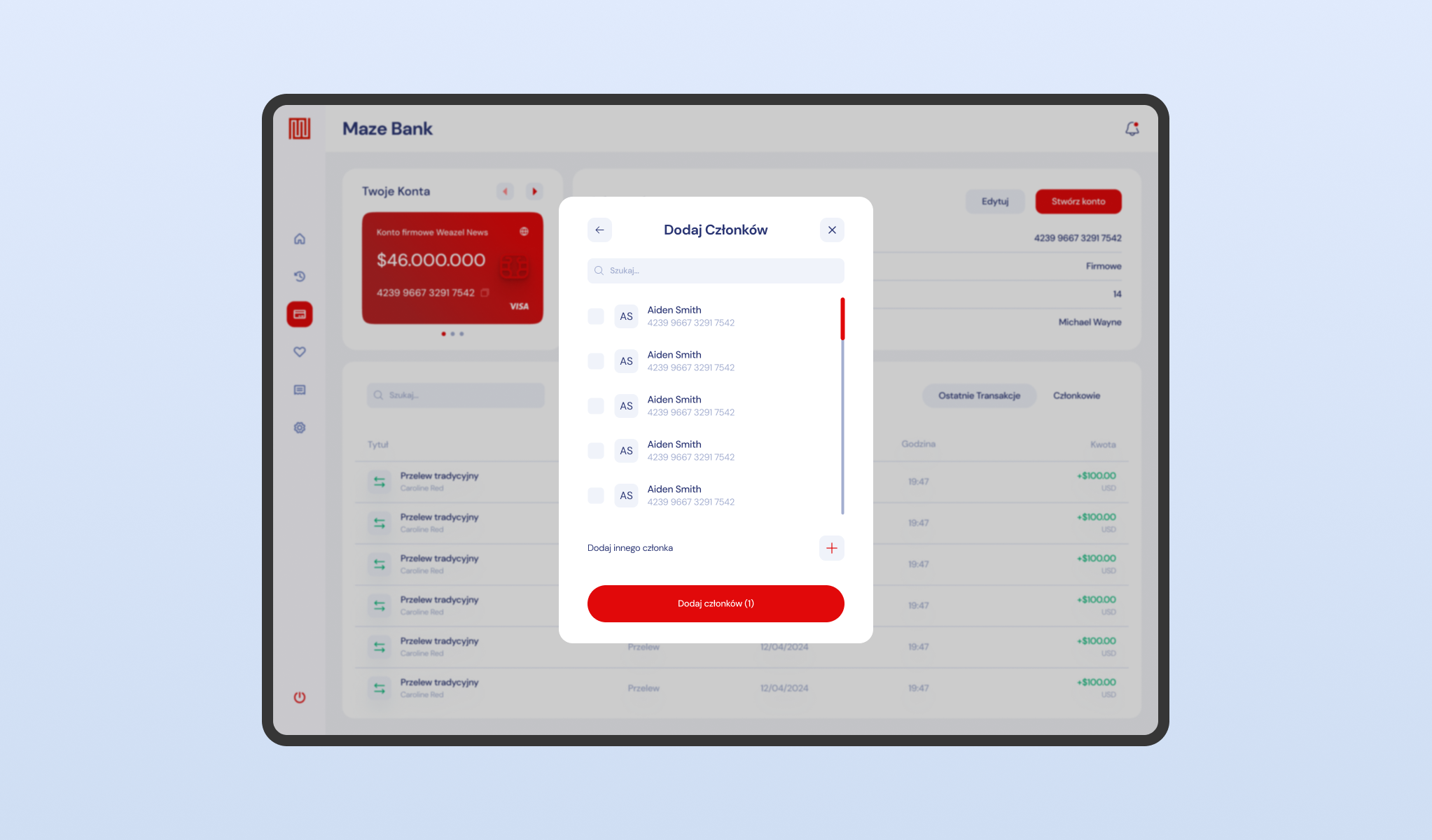
Crucially, the architecture of banking system supports joint account management, allowing the owner to add other players as authorized members via a search interface. This feature is essential for organization roleplay, enabling shared access to corporate funds with granular permission levels.
Add Trusted Recipients
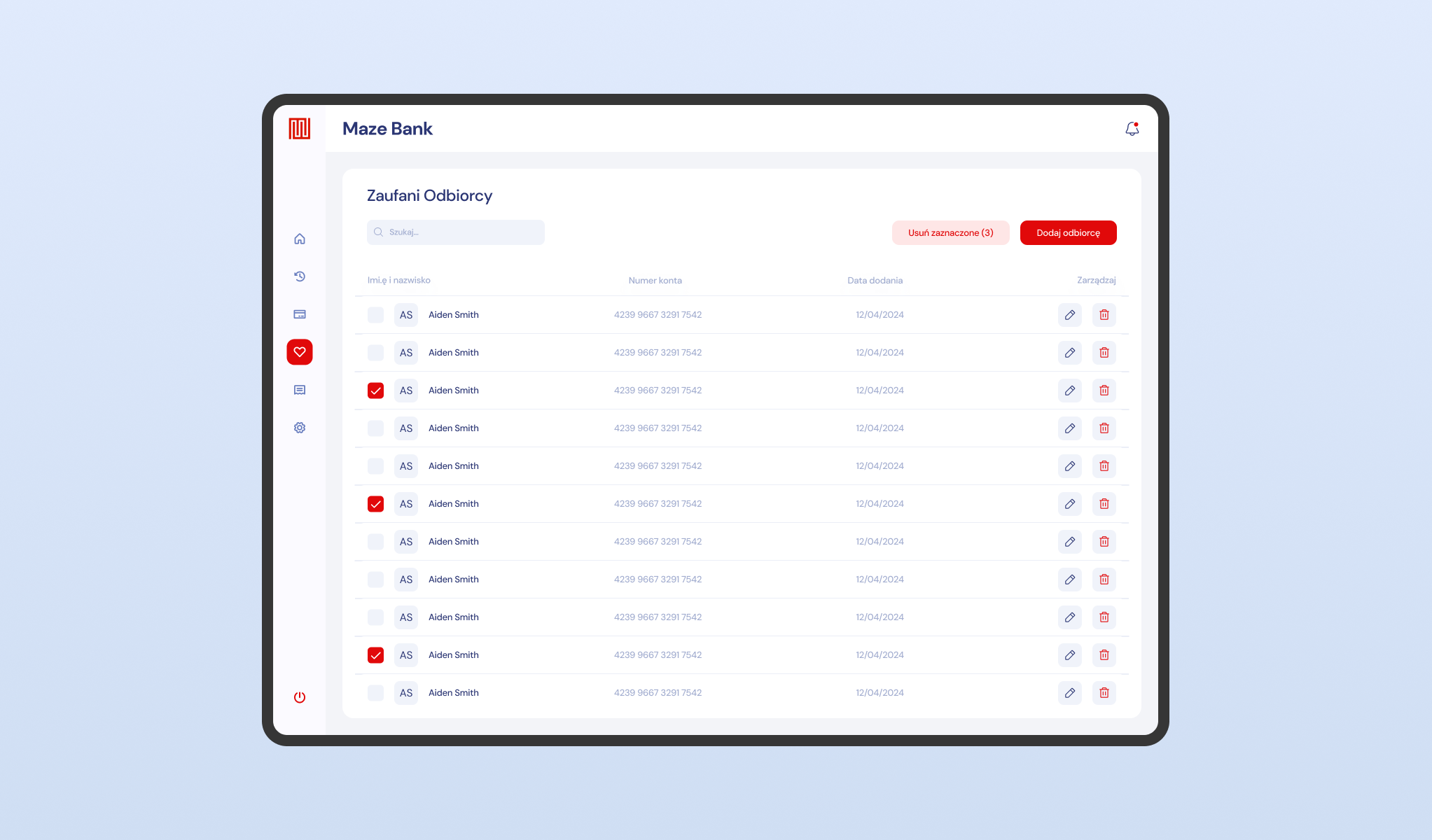
An efficiency-focused module acting as a digital beneficiary address book. To mitigate the repetitive task of manual data entry, this feature allows users to save and label frequently used account numbers (e.g., employees or business partners) in the banking system.
The list view provides quick management controls, enabling the user to edit or remove recipients instantly, thereby streamlining the workflow for recurring payrolls or supply payments.
Control Your Invoices & Bills
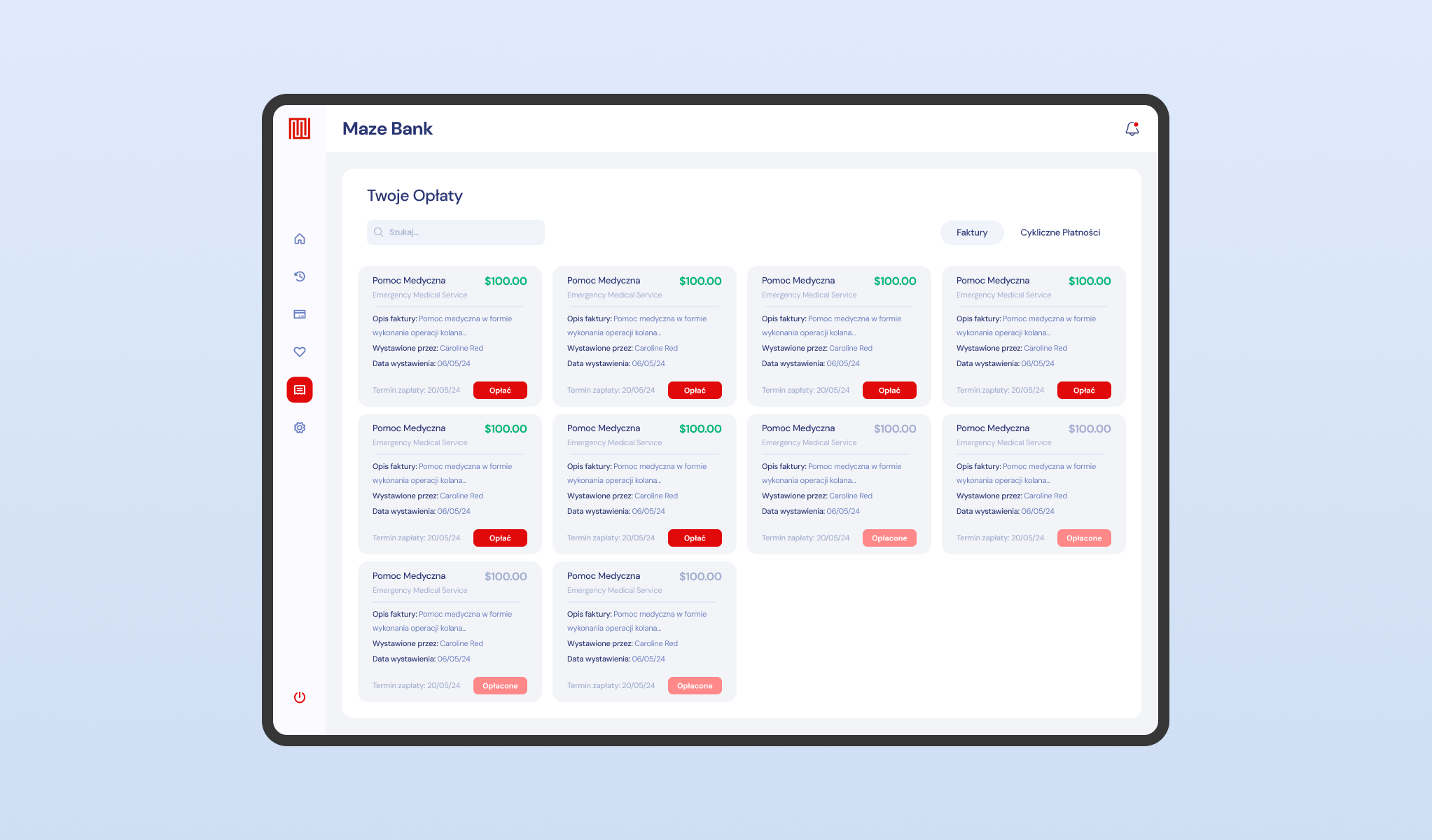
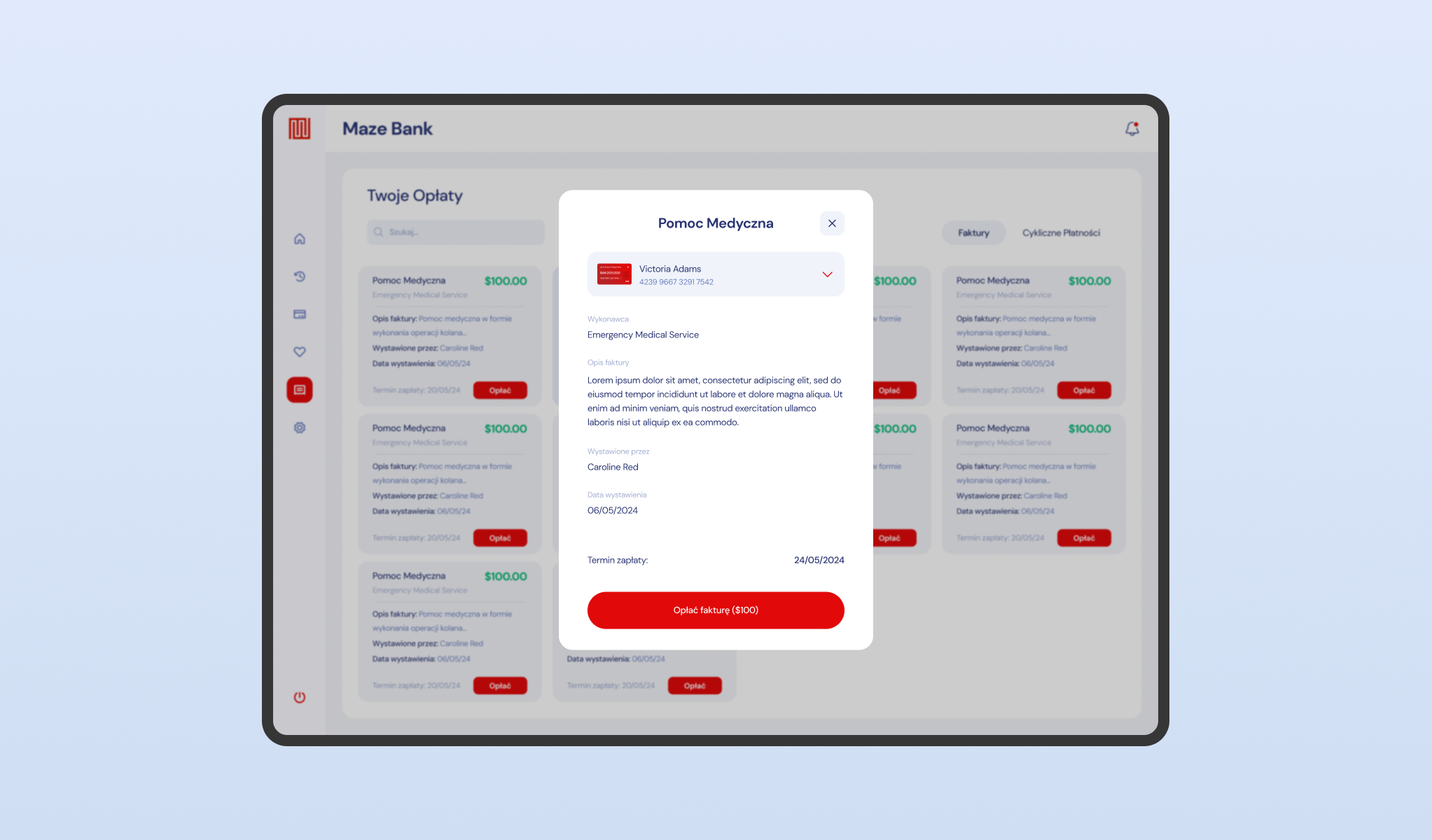
A dedicated liability management dashboard designed to track outstanding debts. This interface aggregates all incoming invoices—ranging from medical fees to police fines—into a unified list, displaying the creditor, amount, and due date.
The payment flow opens a detailed breakdown modal, allowing the user to review the specific reason for the charge (e.g., 'Emergency Medical Service’) before authorizing the deduction, ensuring full transparency in the server’s economy.
Change Your Account Settings
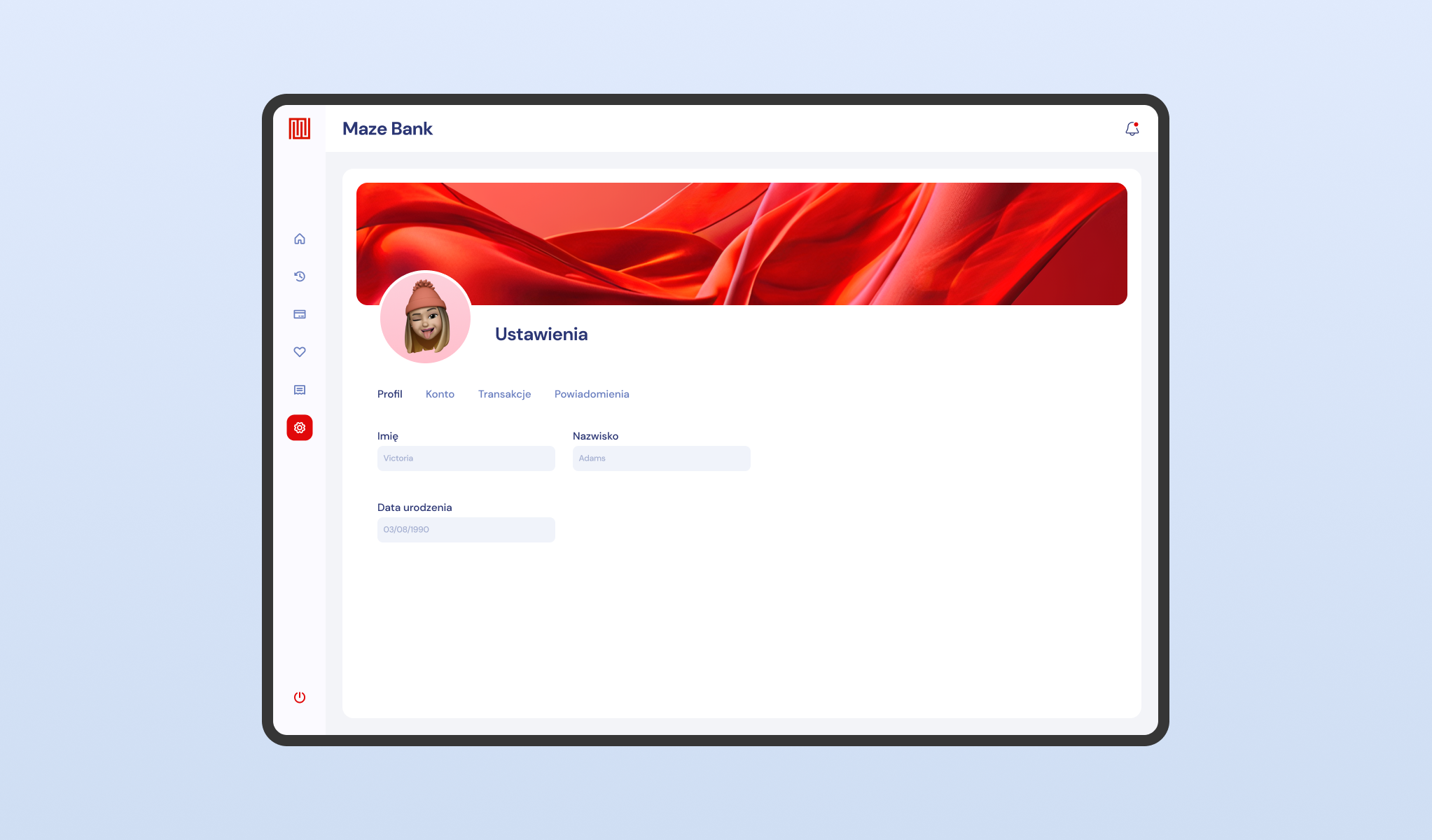
The centralized configuration hub for the user’s banking profile. This section allows players to manage their digital identity within the financial system, including avatar customization and personal data updates.
The layout utilizes a tab-based navigation structure (Profile, Account, Notifications), ensuring that security settings and personalization preferences are easily accessible without cluttering the main transactional views.